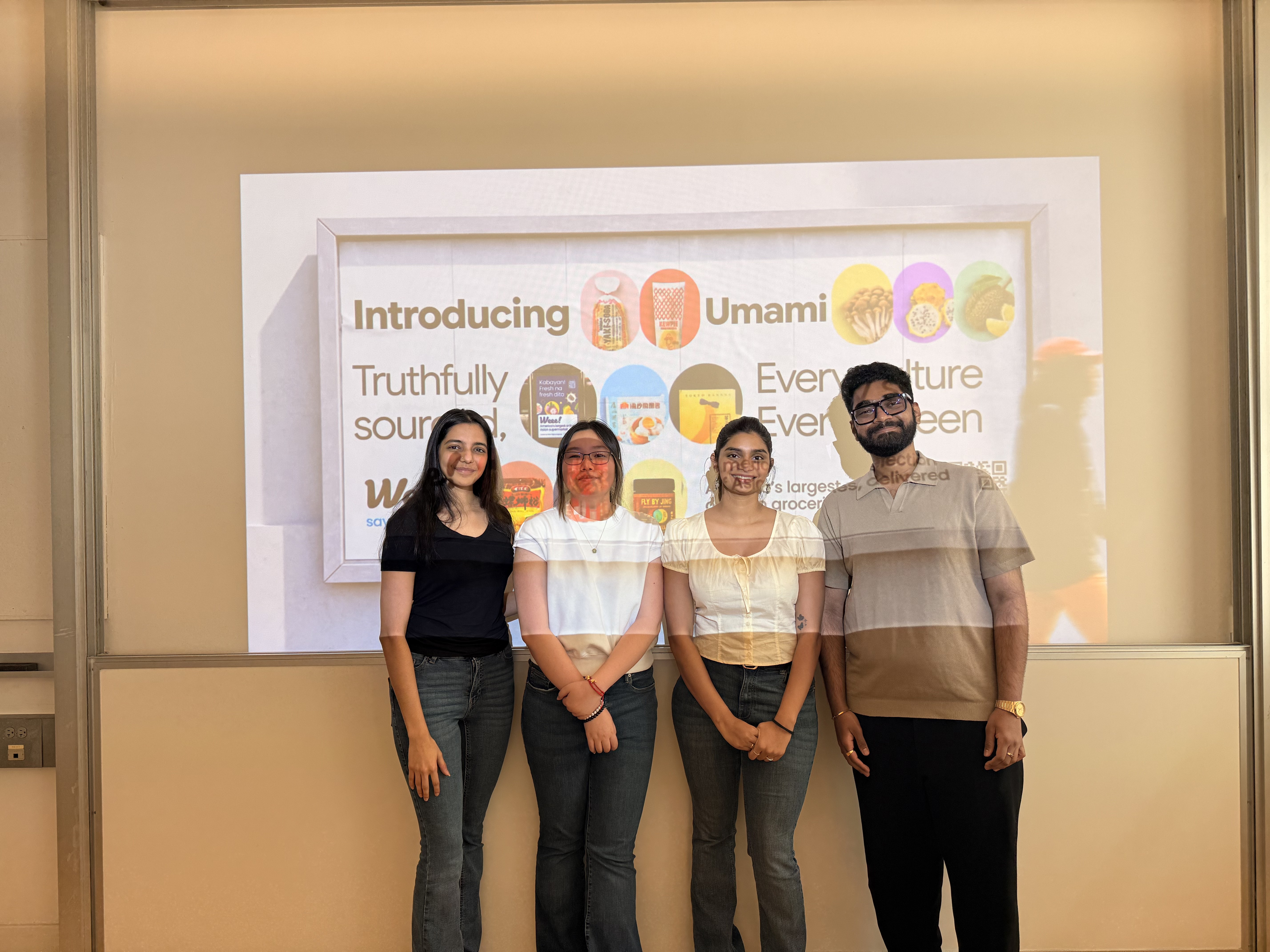
Weee! is known for delivering quality Asian groceries, but its website and app have not always reflected the same attention to detail as the food. To fix this, we built a new design system called Umami.
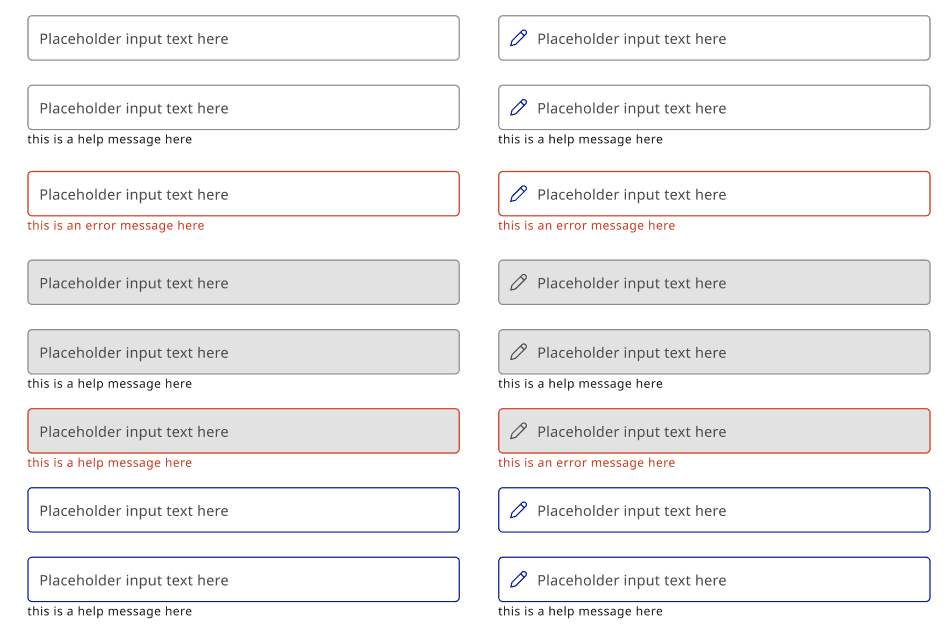
Platform
Weee! (Unofficial)
My Role
Design System Designer
Project Timeline
4 Months, Fall 2026
Tools
Figma, Zeroheight
Weee! is the largest Asian online grocery platform in the United States.
For millions of people, this isn’t just a shopping app. It’s where you find the exact brand of ramyun you remember from childhood, or the lychee jelly your grandmother used to make. The cultural importance here goes beyond a typical grocery store.
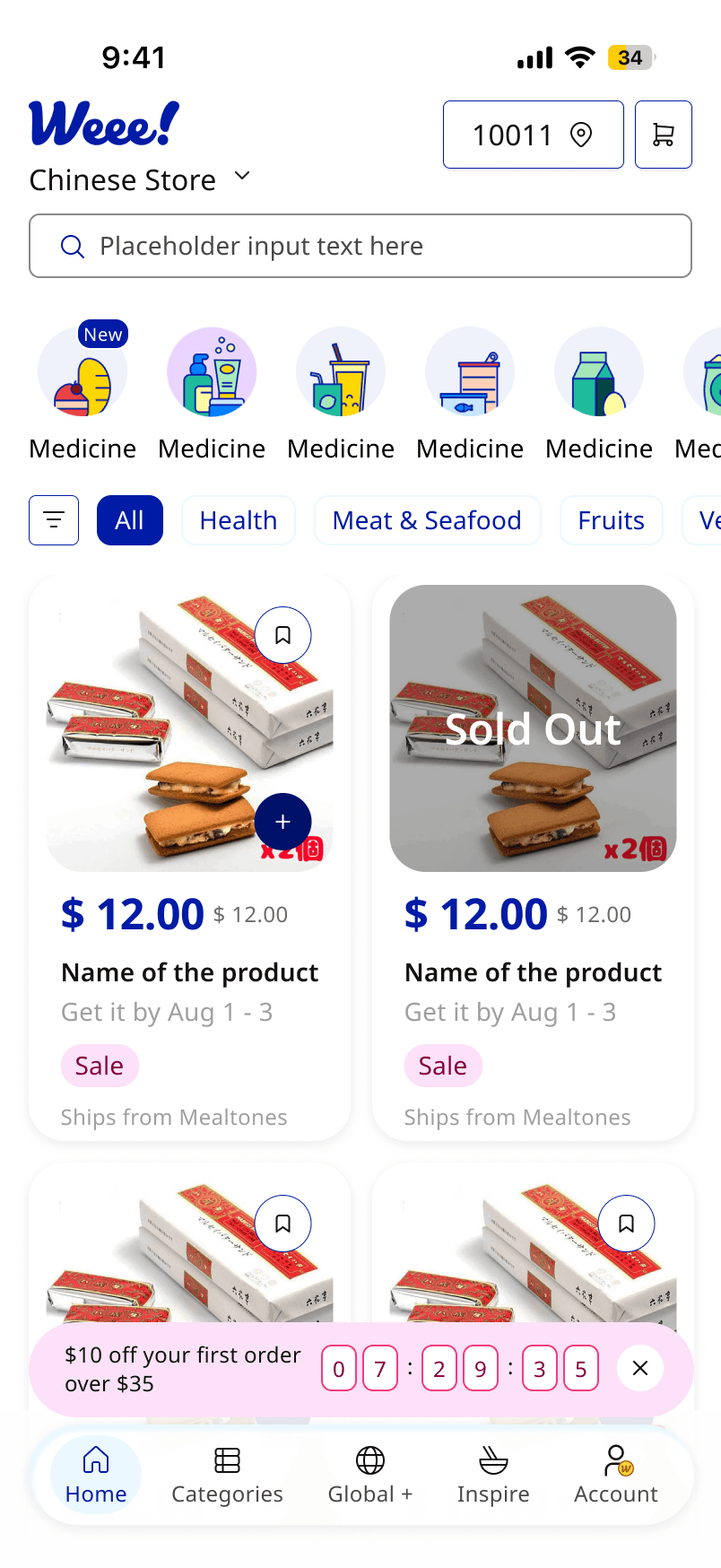
When we took a closer look at the interface, we noticed a pattern. The product had grown faster than its design system could handle. Teams rebuilt components for each feature, colors changed from screen to screen, and urgency tags looked just like freshness tags.



Bakery

Beauty Month
Beverages
Canned
Dairy & Eggs

Dry Foods
EBT
Fresh Bakery
Fresh Gourmet
Frozen
Fruits
Health
Household
Instant
Meat
Personal Care
Seafood
Seasoning
Snacks

Spring Sale
Tofu & Vegan
Vegetables
Bakery
Beauty Month
Beverages
Canned
Dairy & Eggs
Dry Foods
EBT
Fresh Bakery
Fresh Gourmet
Frozen
Fruits
Health
Household
Instant
Meat
Personal Care
Seafood
Seasoning
Snacks
Spring Sale
Tofu & Vegan
Vegetables
Beauty Month
Search
Choose
Checkout
This challenge showed us that our product workflow has a gap. We do not have a shared system to help us stay consistent and efficient as we continue to grow.
Different Hex Values
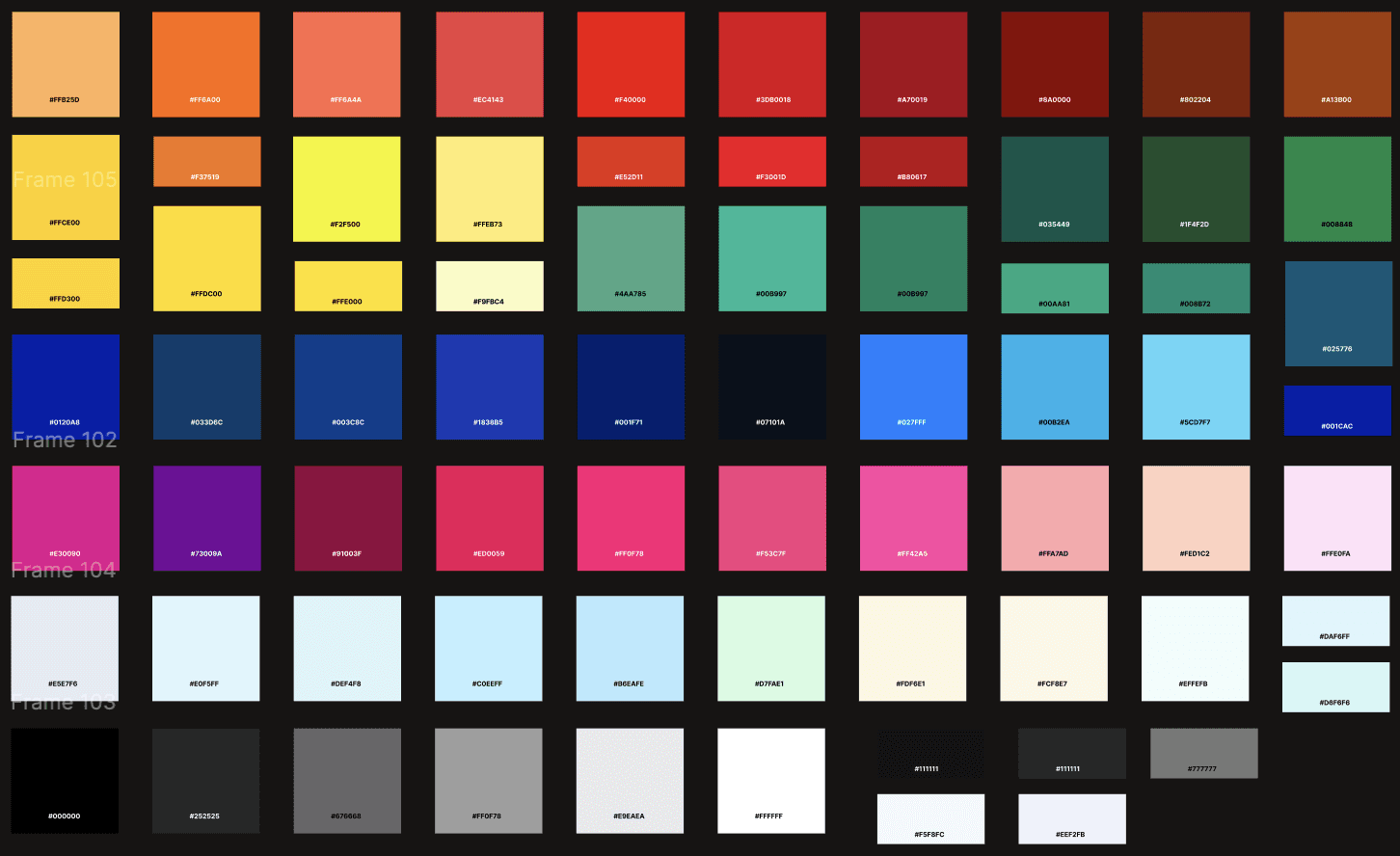
There are more than 60 different hex values in use, even though only 7 color families were planned.
27 Different Tag Styles
There are over 27 tag styles that all look the same. Discount badges, dietary labels, and urgency signals cannot be visually distinguished.
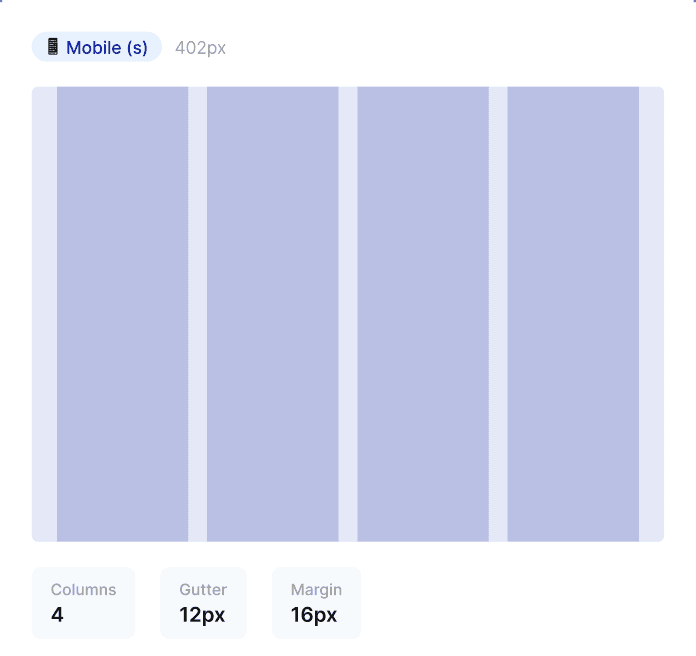
3 Different Grid Systems
Three grid systems, masonry, modular, and hierarchical, were used in the same product, but there is no documentation or clear reason.
As the product expanded, not having a color system meant that more than 60 different hex values were used. There was no shared guide to help make consistent choices.
What should have been 7 intentional families had fractured into 60+ individual values. No single designer made a wrong call. The system had no shared reference.
16 red orange variants
This was for one promotional family
13 Distinct pinks
Where one Dragonfruit family should exist
No token layers
every screen made its own call
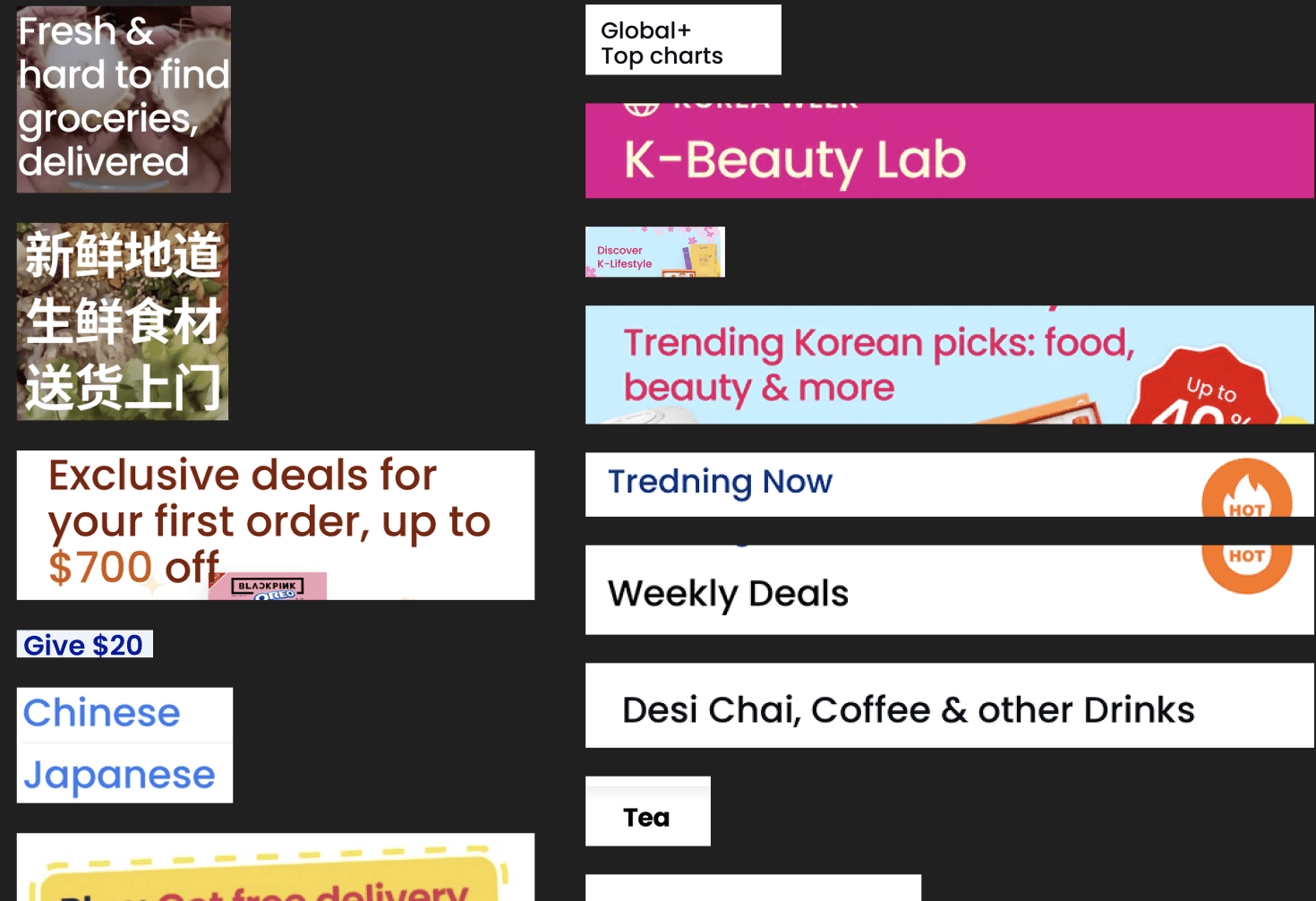
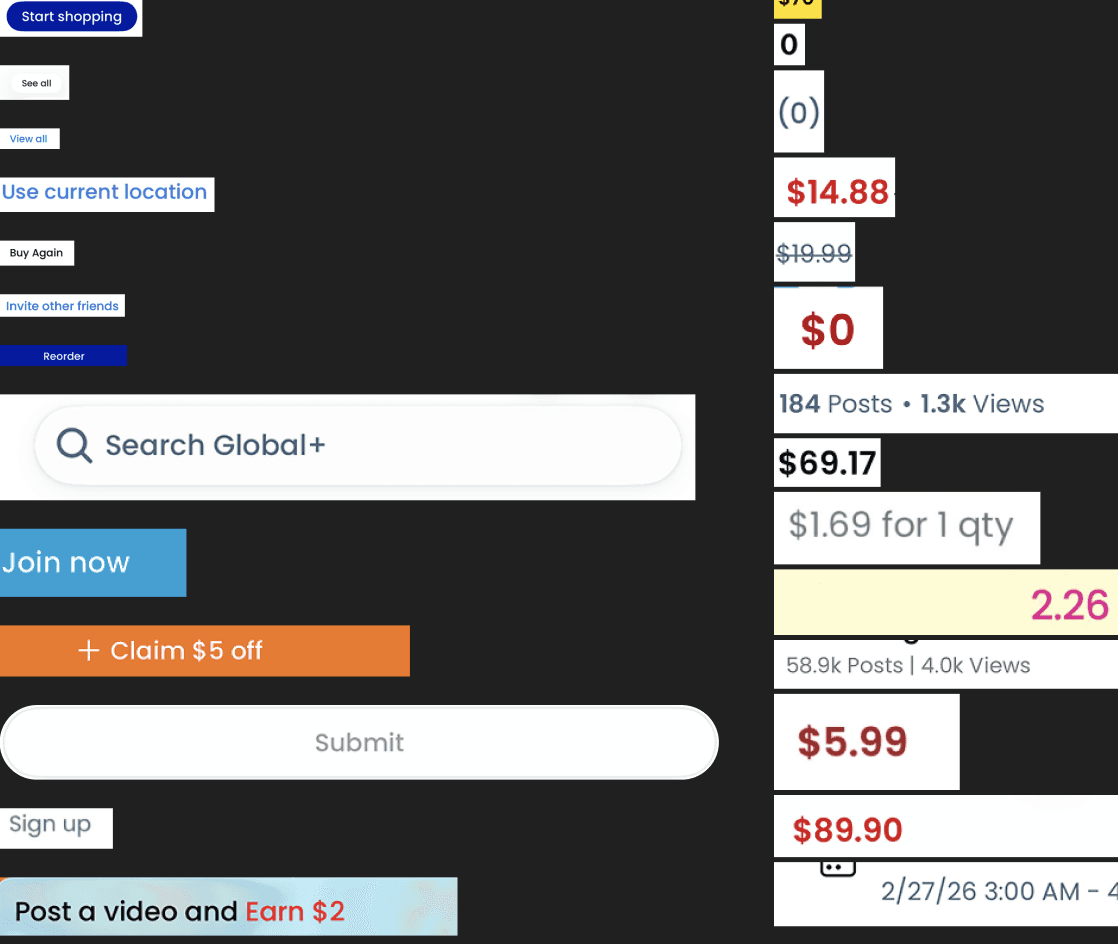
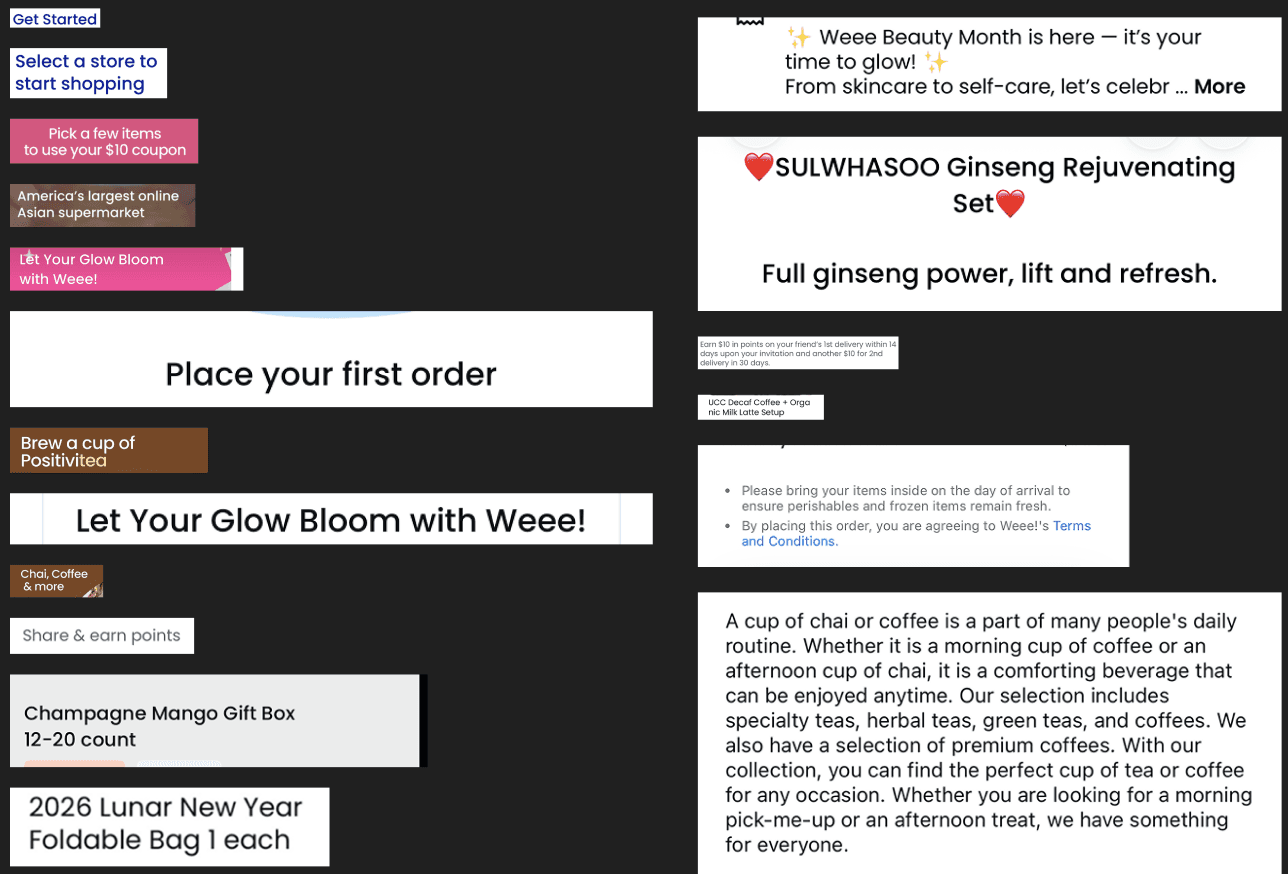
Typography was chosen screen by screen on instinct, without a shared scale; the interface spoke in multiple voices simultaneously.
No named roles
Display, Body, Label chosen per screen
No CJK consideration
Culturally exclusive by default
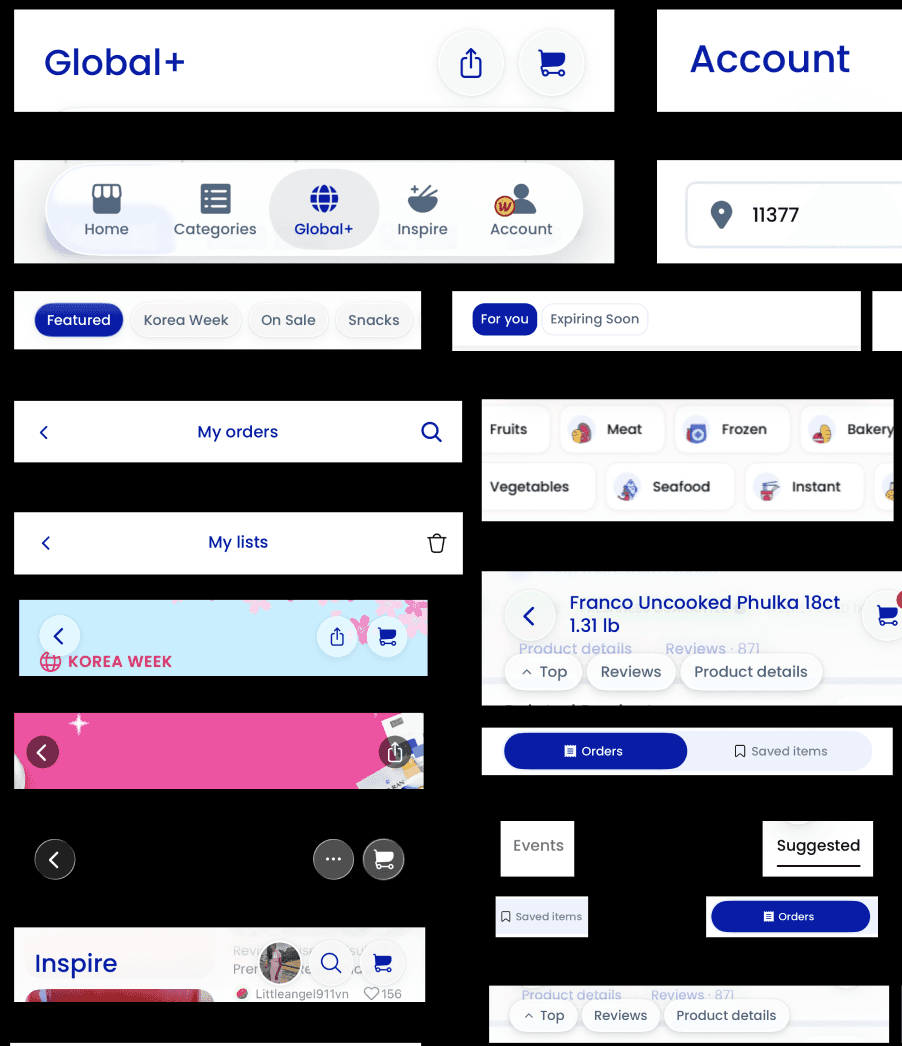
Filters, tabs, and pill buttons all handled navigation, but each looked different. This made users figure out how things worked again on every screen.
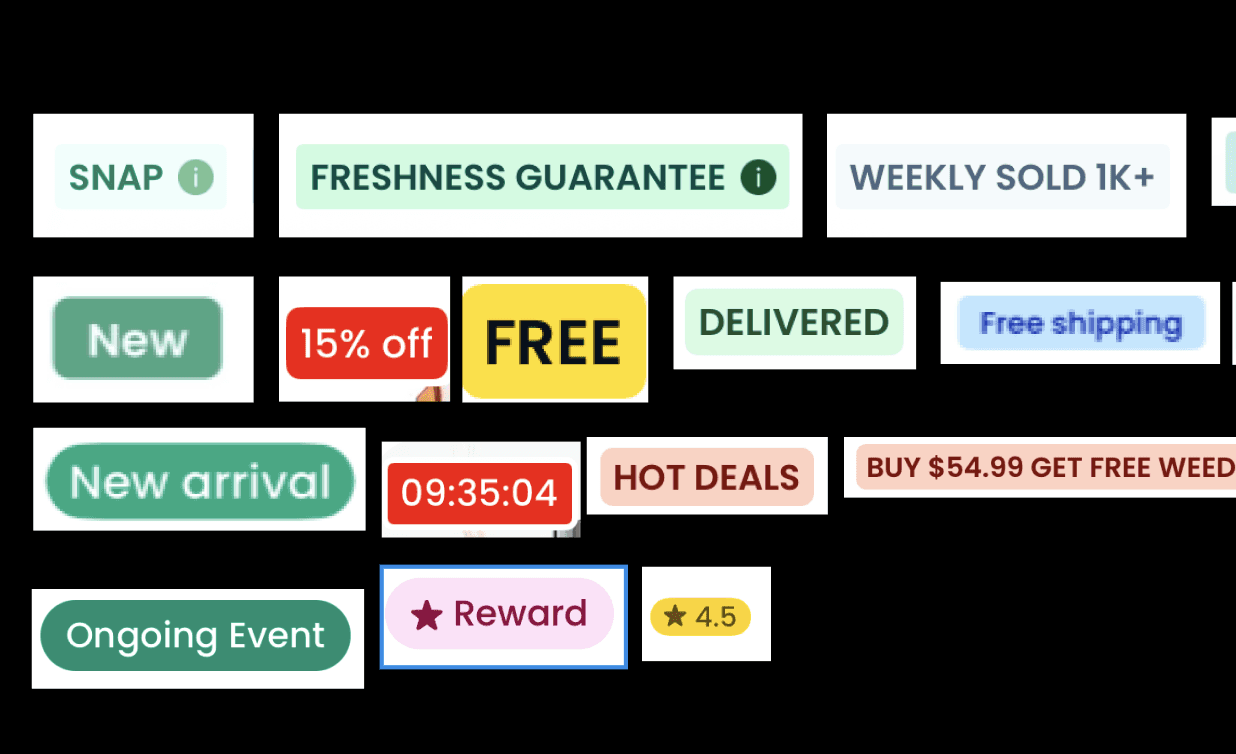
Tags were the most repetitive part of the system.
With more than 27 styles, all looking equally important, it was difficult to distinguish discount badges from dietary labels. - 27+ tag styles with no semantic weight distinction - "new" vs "new arrival" as separate styles for the same concept
Intelligent Workplace Charging
FlexCharge offers reliable and efficient charging for workplaces, supporting multiple vehicles with a scalable and smooth experience.

Rapid Public Charging
PowerHub delivers ultra-fast charging for high-traffic areas, keeping customers and drivers on the move with robust and scalable solutions.
Tags
Cards
Three Grid System
The Weee! Design System -
Umami is the fifth taste, the deep savory quality that makes food feel complete and satisfying. It's what you notice when something is missing, and what you stop noticing when everything is right.
"Design systems are culture change disguised by a UI kit"
_ Lauren Loprete

Color
Typography
Ag
DM Sans
Regular
Medium
Semibold
Components
Primary Button
Secondary Button
tag label


TYPOGRAPHY
A restructured typography system
10 named roles : replacing fragmented, screen-by-screen decisions.
A scalable, semantic system built for clarity, consistency, and confidence across every surface.
TYPE SCALE
Desktop
52
PX
Fresh.
Display
Impact & personality
14
PX
Helpful details
Label
Support & context
32
PX
Product Title
Heading
Primary information
12
PX
Tags, captions
Caption
Subtle & unobtrusive
24
PX
Section Header
Title
Group &organize
16
PX
Description text
Body
Readability first
✕ BEFORE
No type scale - per-screen
instinct
✕
Inconsistent hierarchy
✕
Poor readability
✕
Hard to scale
✕
No global rhythm
✓ AFTER
10 semantic
roles
One scale everywhere.
✓
Clear hierarchy
✓
Better readability
✓
Scalable system
✓
Confident decisions
Product Title
Section Header
Description text goes here.
It has strong hierarchy.
Sales and Tags
COLORS
We reduced over 60 random hex values to 21 carefully chosen tokens. These are grouped into 7 color families named after foods, and each family has 3 levels of meaning.


CHALLENGES
Token naming was the hardest single decision. There is no universally "correct" structure, and the abundance of conventions made early choices feel especially high-stakes.
— Positional
Blue - 500
or descriptive
atmosphere - blue
?
— How specific should semantic tokens be?
— Do food names confuse developers?
OUR APPROACH
Food names for semantic legibility and cultural grounding. A developer reading
18 Components
understands both the value
and its cultural context. The reasoning is documented in-file.
primary/atmosphere-blue/500
#001BA5
secondary/dragonfruit-pink/500
#F43C7E
secondary/flow-teal/500
#00B2EA
tertiary/chive-green/500
#2DA34F
tertiary/tomato-red/500
#E22A0D
tertiary/durian-yellow/500
#FFD600
TAGS
More than 27 different tag styles combined into one component with 252 versions, designed using a meaning-based order that visual size alone couldn't show.

1
Promo - Highest weight,
time-sensitive
Bold color, always takes
priority in stacking.
Flash Sale
Promo
Ends Soon
2
Dietary - Informational,
persistent
Softer color, lower visual
weight. Persistent doesn't
change based on time.
Promo
Dairy Free
Vegan
3
Status - Neutral, dynamic
Updates dynamically. Low
urgency unless combined
with Promo.
In Stock
Limited
Out of Stock
4
Category - Lowest
weight, navigation aids
Never compete with Promo
or Dietary tags.
Meat
Seafood
Vegetables
MORE COMPONENTS
We grouped repeated parts into common patterns.
This reduces visual clutter and makes the interface easier to use again.
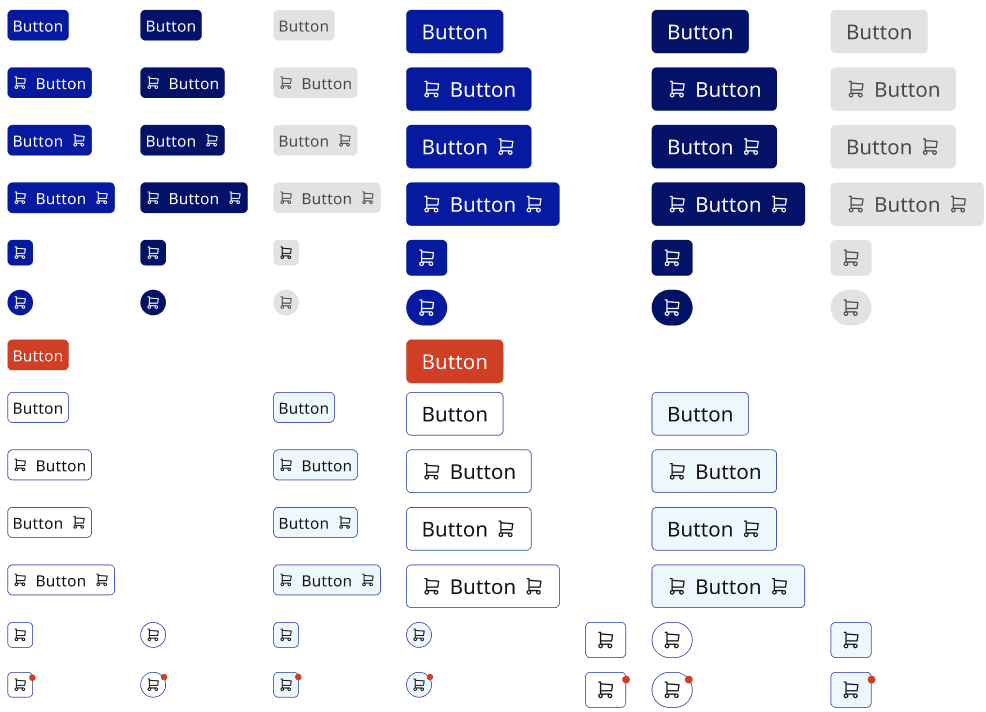
Button Components
7 Components
Comprehensive button components covering multiple states, sizes, icon placements, and interaction variants for consistent actions across the interface.


TEST DRIVE
We asked a designer unfamiliar with our work to build a Weee! screen using only our library components. They ran into five main problems.
After making the first version of the UI kit, we tested it with a simple challenge: one designer, one task, no help. The results were not about looks. Instead, they showed missing parts in our components, how easy they were to use, and whether our naming system matched how designers really think.
There's no header component
The tester looked for a top navigation bar before adding any other part and found nothing. The header was the first thing they needed, and without it, the test stopped immediately.
Buttons were a complete mess
Too many states were visible at once, with no clear order among them. The tester couldn't quickly figure out which version matched their situation and kept doubting their choice.
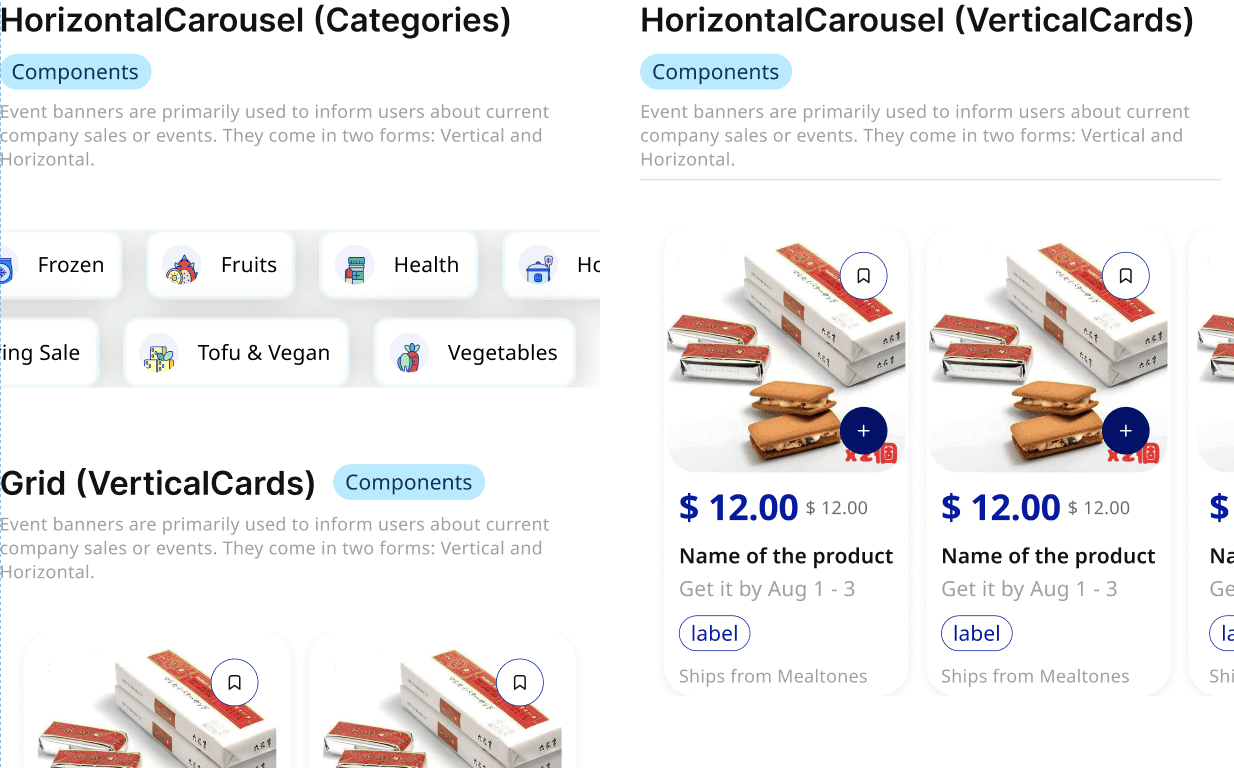
The scroll isn't intuitive, and it's too big to use.
The carousel’s side-to-side scroll wasn’t obvious from the still component. The tester didn’t realize it could scroll and thought it was just a fixed box.

HOW TESTING SHAPED THE SYSTEM
We found five issues and fixed each one. The test did more than just confirm the system; it actually improved it.
Each issue we found led to a real improvement in the system. These were not just minor tweaks, but major changes. The main lesson was that most problems were not about missing features. Instead, our language was different from the words designers already use.
01
Built and added the missing header component
Component added
A complete top navigation header with a logo area, navigation links, search box, and cart icon was created and added to the library. It became the first part of the Getting Started guide.
02
Reorganized button variants by type, not by state
Component restructured
Buttons were regrouped Primary, Secondary, Destructive, Ghost with states collapsed under each type. A designer now makes 4 decisions, not 20.
03
Reduced carousel size and added scroll direction annotation
Component resized + annotated
The carousel was scaled to a realistic viewport proportion, and a horizontal scroll annotation was added to make the interaction model legible from a static Figma frame.
04
Added semantic aliases to color tokens
Token layer updated
A semantic alias layer was added
color.surface.default
,
color.layer.raised
,
color.background.subtle
mapping conventional vocabulary to our food-named primitives. Designers now search in the language they already speak.
READY, TASTE, DESIGN!
A strong Figma UI kit, clear Zeroheight documentation, and a pitch deck make Umami! easy to use, trustworthy, and simple to present.
60 -> 21
Color tokens
252
Tag variants in one semantic component
10
Named type roles replacing per screen decision
WCAG AA
Accessibility as a default condition
The full stakefolder presentation, the system rationale, color strategy, component hierarchy, and what we built. Delivered to a hypothetical internal stakeholder group at Weee!
Tokens, foundations, 40+ components with full variants and interactives states.
Usage guidelines, tag stacking rules, do/don't examples, and getting started guide
LEARNINGS
I learned that building design systems is as much about decisions as it is about components.
01
Design systems are big, ongoing projects that need someone to take full responsibility.
Four months were enough to build the base, but not enough to finish it. Without a team focused on keeping it up to date and improving it, systems revert to the messy state the audit showed.
02
A design system isn't finished without developers.
We made strong parts in Figma, but not having a coded version is a real missing piece. This project made me more interested in systems that connect design and engineering, not just in working in Figma.
03
Test the system with someone who didn't build it.
The stress test revealed the tag-stacking problem that weeks of internal checks had missed. A system not tested by someone outside the team hasn't really been tested.
04
Documentation is a design artifact, not a delivery requirement.
Writing the tag-stacking rule after testing wasn’t just about fixing a problem. It was design work, making a hidden decision clear so the next designer doesn’t have to guess.
BRINGING IT HOME
Design systems are an act of empathy.
When you create a design system, you’re not just making it for one product. You’re making it for every designer who will use it later. This helps them decide faster, keeps their work consistent, and makes their contributions feel more connected.
The way we named things wasn’t just for style. Choosing a name like Dragonfruit Pink instead of pink-500 shows whose view of the system shaped it. A design system always reflects the values of its creators. Ours made it clear: this is for you.